What the Sidelnr app developer can see
Last updated 11 October 2026
Sidelnr is a self-managed app.
Teams belong to their managers and families, and events to their organisers and guests. They decide who’s in, what’s posted and who can see it. The developer builds the app and keeps it running, but doesn’t look into teams or events.
For full transparency, this page shows the developer’s page in the app exactly as it is (with made-up example data), what the developer can and can’t do, and how it’s protected.
The developer’s page, as it is
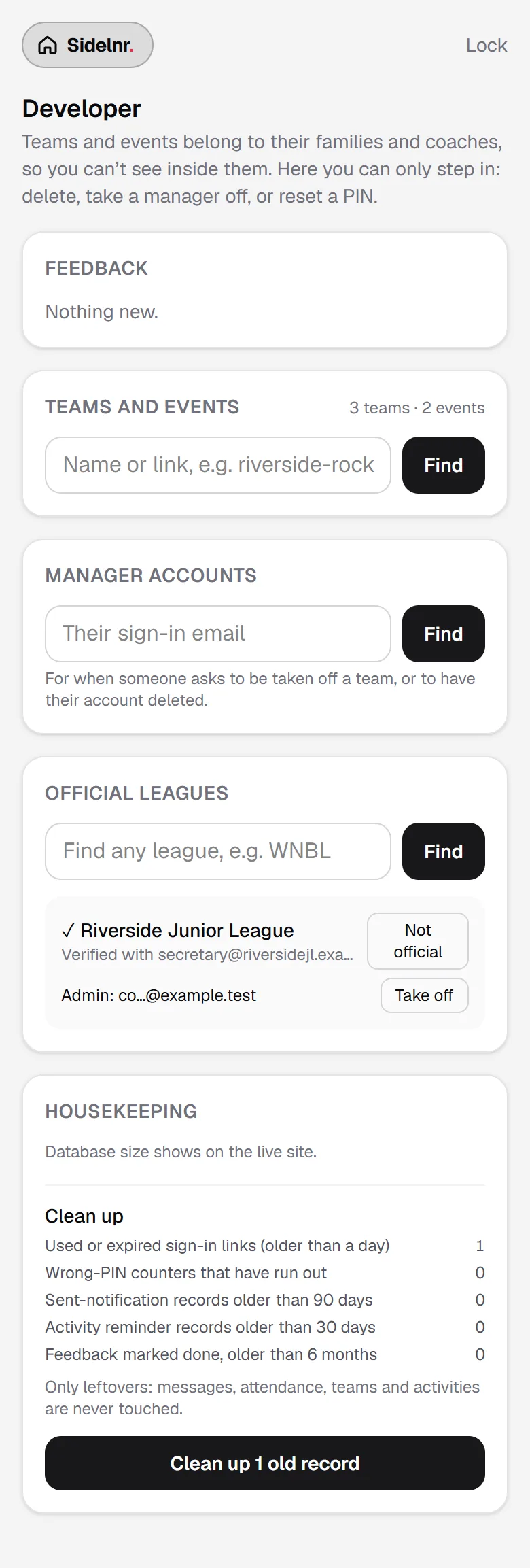
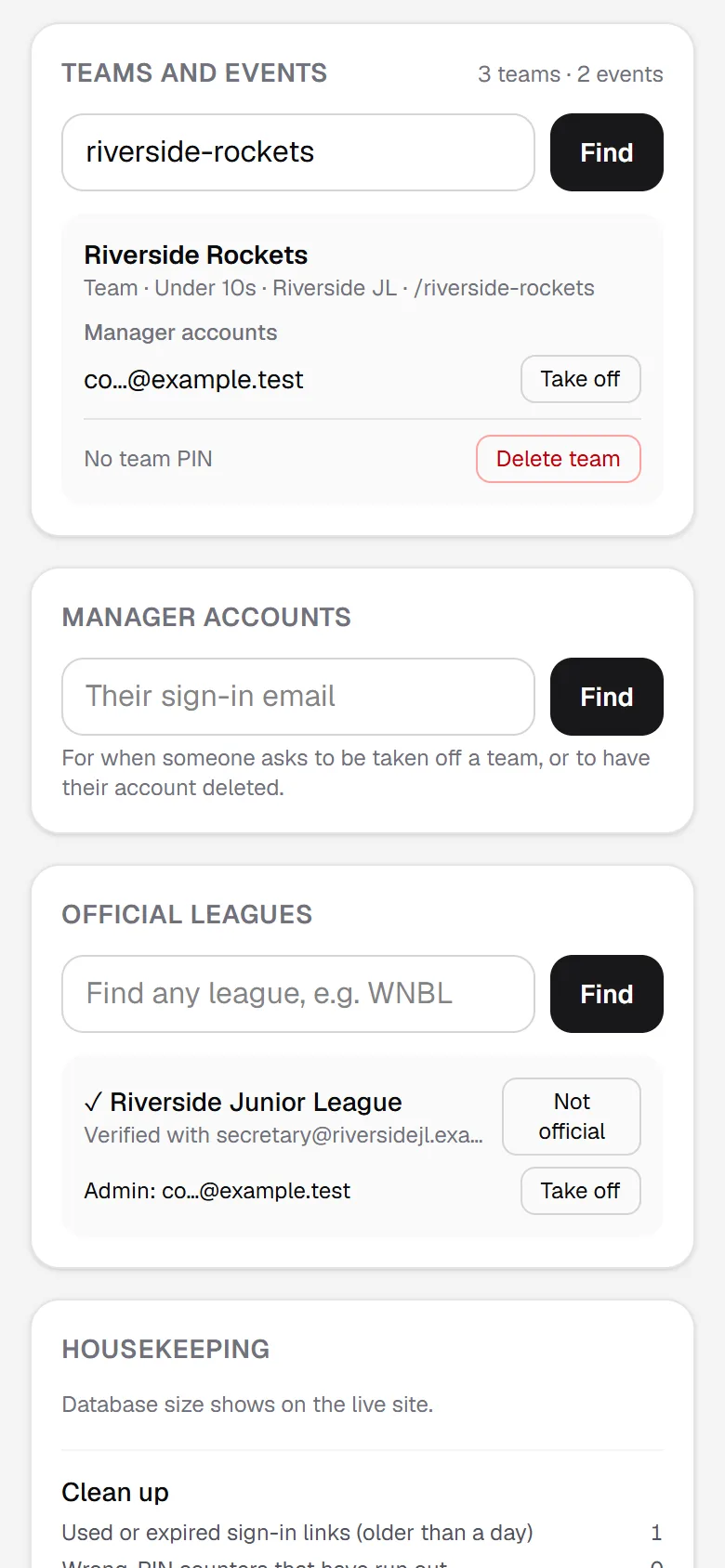
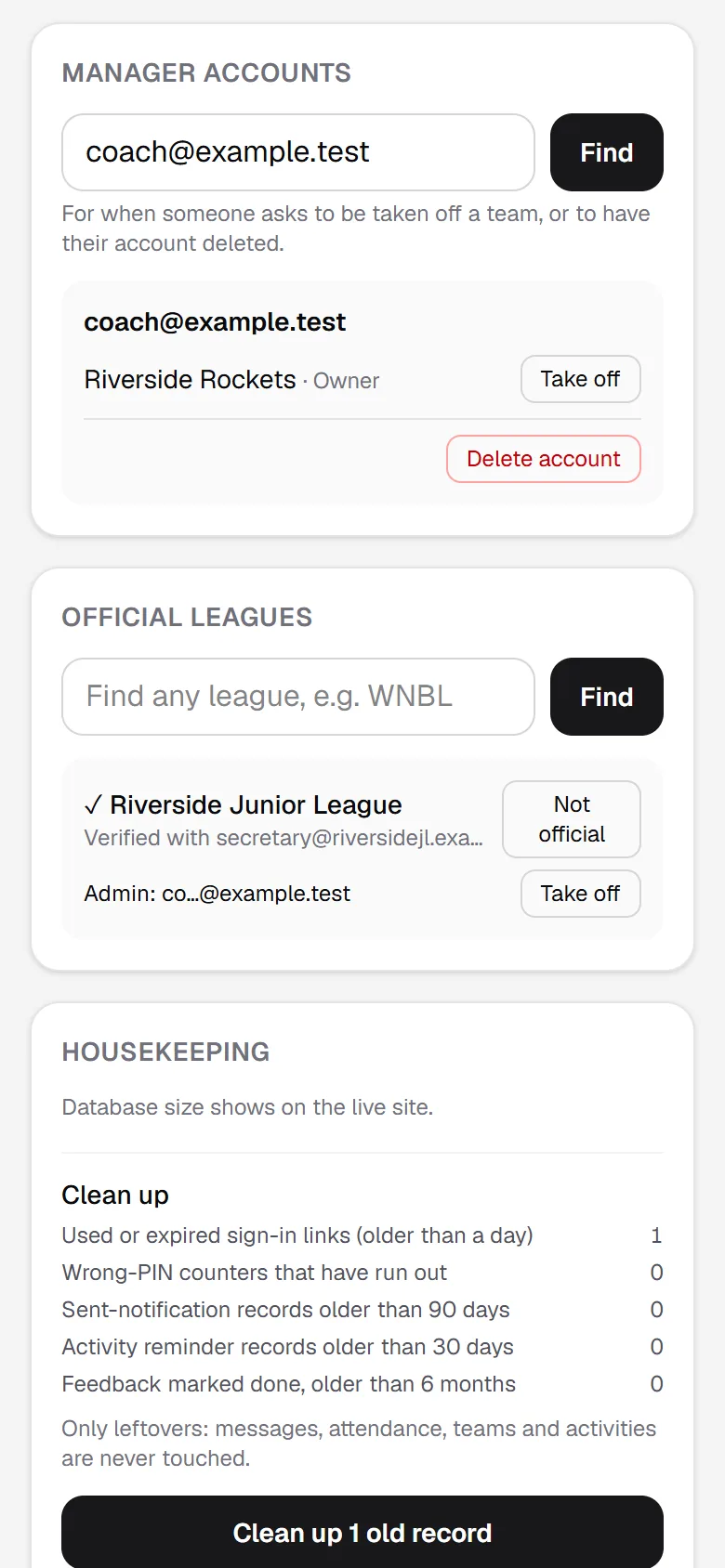
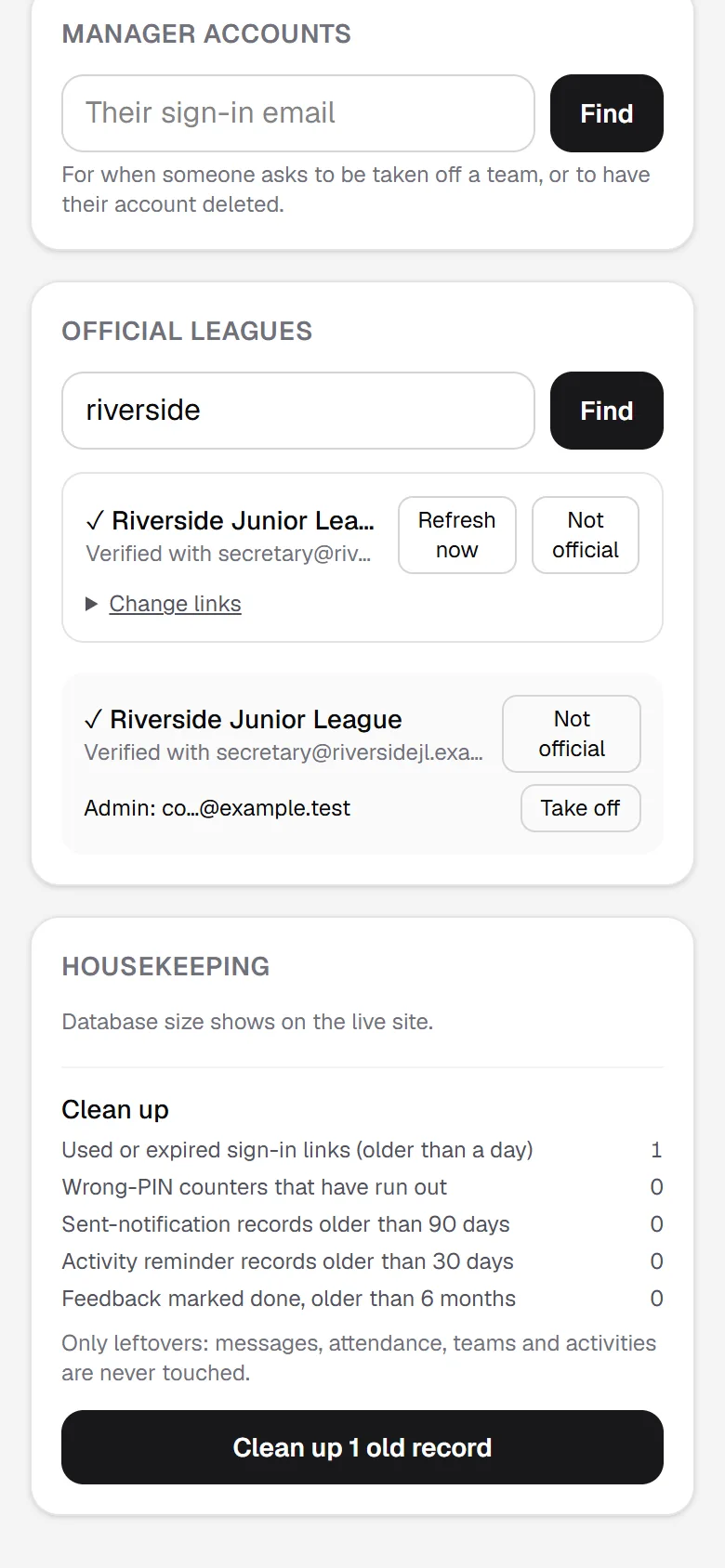
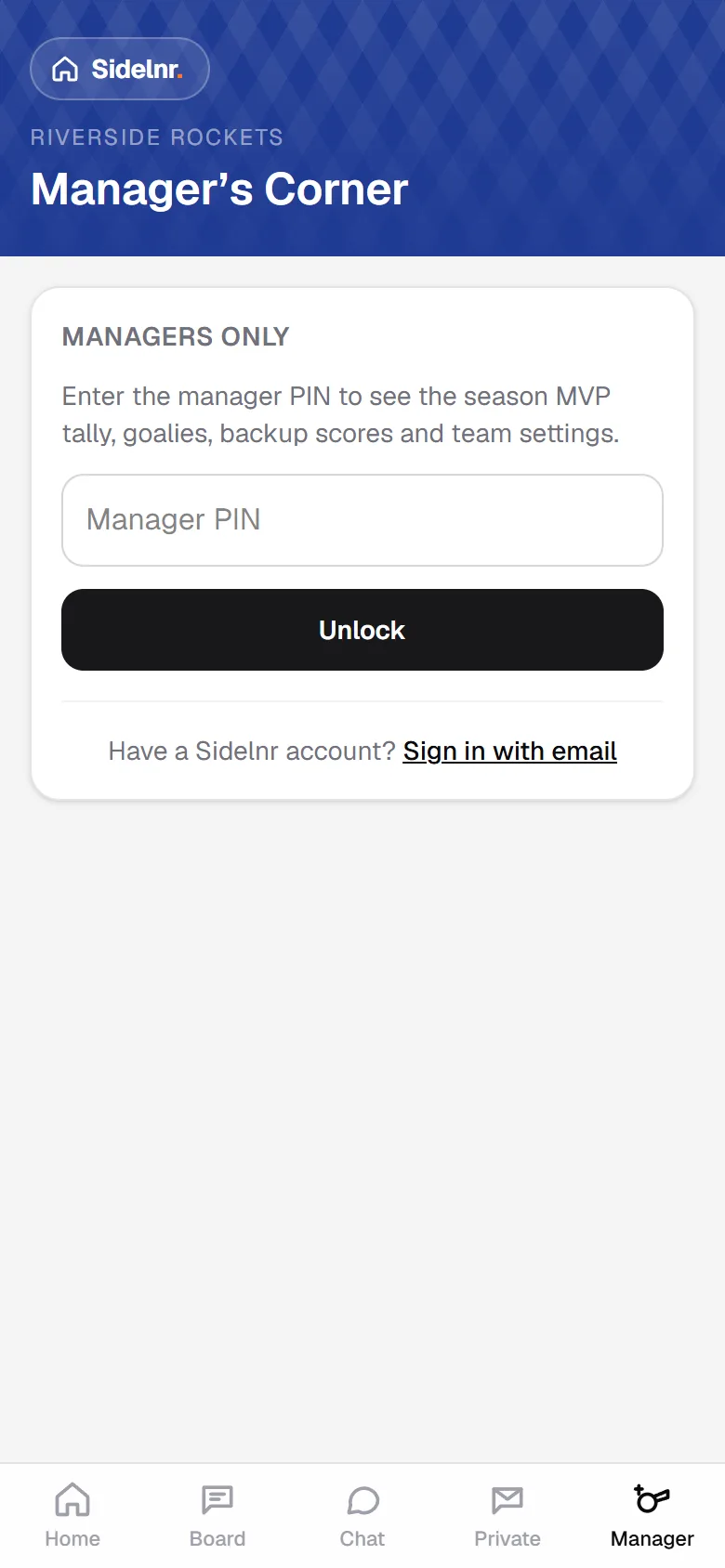
Tap a picture to see it full size.
What the developer can’t see in the app
- Players’ names, squads, attendance, MVP votes and duties
- Who follows a child, families’ names and phones
- The Board, team chat and private messages, including the coach’s
- Event guest lists, answers and headcounts
- Your activities in My Activities
- A list of teams, events or accounts (only a count, and what’s typed into a search)
- Team PINs, join codes and organiser codes (they’re only stored scrambled, so nobody can read them)
What the developer can do
Only step in, when asked or when something’s wrong:
- Delete a team or event (the name has to be typed to confirm)
- Take a manager or organiser account off a team or event
- Reset a team PIN or organiser code, which locks out everyone who unlocked with it
- Delete a manager account that asks to be deleted
- Make a league official, or take the tick or a league admin off
- Read feedback sent through the app, and clean up old leftover records
How it’s protected
- Two steps to sign in. An email and password, then a 6-digit code from an authenticator app on the developer’s phone. A password on its own isn’t enough.
- One account only. Only one account is marked as the developer’s, and that mark can only be set in the database itself, never through the app. Nobody can sign up or switch their account to it.
- Checked every time. Every page and every button on the developer page is checked on our server, not just in the browser. If the account is ever blocked, it stops working straight away.
- Short sessions. A sign-in lasts 12 hours at most, and can be ended any time with Lock.
- Wrong guesses are stopped. After 5 wrong tries, signing in is locked for 15 minutes.
- Hidden. The page isn’t linked from the app and is kept out of search engines.
- No way in by design. The rules that keep teams, events and leagues closed apply to the developer too: there’s simply no screen in the app that shows what’s inside them.
On the server
Like any app, Sidelnr’s data sits in a database (Supabase, in Sydney), which encrypts what it stores. The key to the database never leaves our server, and everything travels over an encrypted connection (HTTPS). Whoever runs the service can technically reach the database there. We only do that to fix a problem, keep the service running, or act on a report or a request (for example to delete something), and never to read messages or look at a team or family for any other reason. We never sell data or use it for advertising.
Questions
More in our privacy policy and terms. Anything else: hello@sidelnr.app.
How Sidelnr works · Send feedback · Features & Functions · Privacy · Terms · hello@sidelnr.app